How to Use an AI-Powered Digital Library
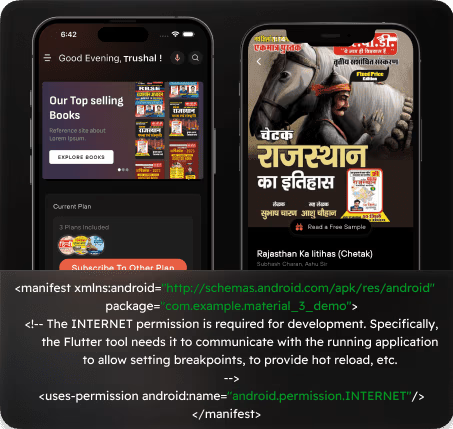
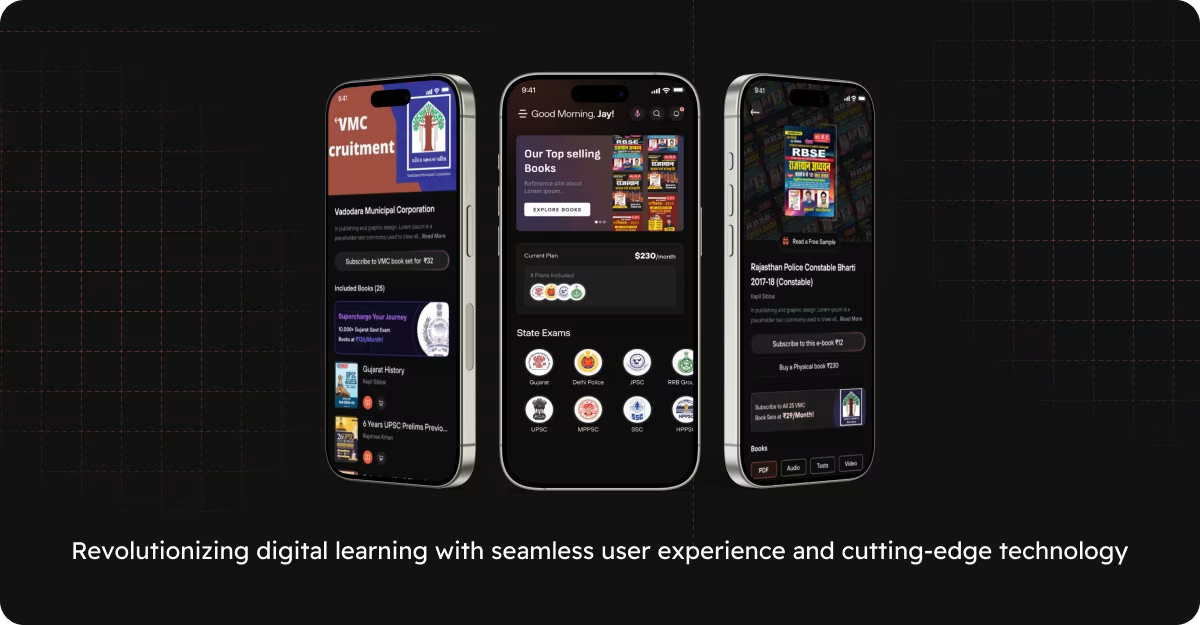
E Library is digital library software. Students get a big online ebook collection, and teachers can spin up a test by snapping a photo of their MCQs. No retyping. We built it with our mobile app development team using Flutter, so one codebase ships to both Android and iOS. Building something similar? You can work with our Flutter developers on your own edtech app.
The app also reads questions out loud. We turn image-based questions into voice so a student can listen instead of squinting at a screen, which helps anyone who learns better by ear.
AI is making schools more efficient, as Element451 lays out, and E Library is one practical example of that shift.
Want to see another project in this space? Take a look at Youth Pathshala, an app we built around interactive learning tools.
How to Benefit from a Digital Library Software
The goal was simple. Cut the busywork out of teaching and give students a big ebook collection in their pocket. The AI handles the tedious parts, like building tests, so educators and learners both spend their time on actual learning.
Automated Test Generation. A teacher uploads a photo of MCQs, and the app builds a proper test from it with the options shuffled. Eklavvya does similar work in this area, and the idea is the same. Drag the old paper process into something interactive.
Text-to-Speech for Students. The app reads image-based questions aloud. That matters a lot for students with learning disabilities, and frankly it helps anyone who absorbs things better by listening. Nobody gets left out.
An Ebook Library That Travels. Students open a wide range of digital books from one app, on whatever device they have. Master Savenue makes the same case for keeping learning material easy to reach.
Works on Every Device. The app runs on Android and iOS. A student can pick up a lesson on a phone and finish it on a tablet without any friction.
How to Support Students with an Educational App
For students, the app does two jobs. It puts a full digital library in their hands, and it lets them quiz themselves whenever they want. Self-testing on demand is a quiet but powerful way to actually remember what you read.
Questions You Can Hear. Students listen to their questions instead of only reading them. We turn the image into speech, which makes the whole thing more engaging and opens it up to students who are visually impaired.
Book Access. Students get into a large digital book collection. MintBook writes about why a student digital library is worth having, and we agree.
A Study Companion. The auto-generated tests give students a real way to prep before exams. Khan Academy proved how much structured practice helps, and we leaned on that same idea.
How to Enhance Teaching with Digital Library Features
Teachers get the biggest win here. The exam generator builds tests for them, so the grunt work of writing and formatting evaluations mostly disappears. That time goes back into teaching.
Instant Test Creation. Upload a photo of a test and the app structures it with the questions randomized. Magic Box covers why digital assessments matter for modern classrooms.
Reach Every Student. With the question reader, a teacher can support students who have different learning needs without building a separate version of every test.
Hours Back Each Week. Less time formatting tests by hand means more time on the part of the job that actually moves students forward.
How to Transform Education Through Digital Learning Solutions
E Library is a good snapshot of where AI fits in education. Digital assessments, tests built from a photo, and questions read aloud. We have shipped this kind of work before, like Twings, and the thread running through all of it is the same. Make learning easier to reach.
A school that picks up tools like this ends up with a calmer, more efficient classroom. Students get more out of their study time, and teachers stop drowning in admin work.